
Aquila
Aquila is a recognized name in the GPS tracking space with device models that work with third party platforms. This page explains how Aquila trackers integrate with Plaspy, how to choose the right device for your application, and where to find further documentation. Use the catalog below to browse compatible Aquila devices and jump to device specific pages.
How Aquila devices work with Plaspy
Plaspy can ingest telemetry from Aquila trackers so you can monitor location, status, and events from a single platform. Integration usually involves registering a device identity in Plaspy and configuring the tracker to report to the platform using the device credentials. Once connected, Plaspy displays live position updates, historical routes, and alerts generated by the tracker.
This page focuses on compatibility and guidance. For device level setup and server details, open the device entry in the catalog and follow the device specific instructions there.
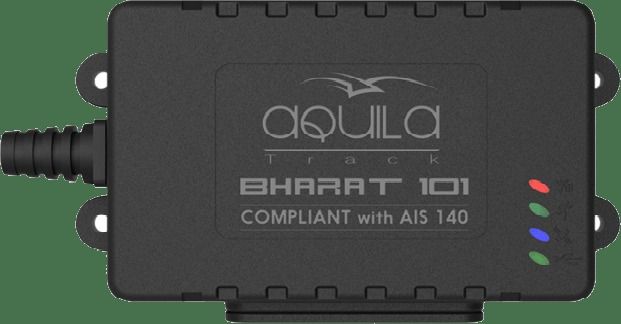

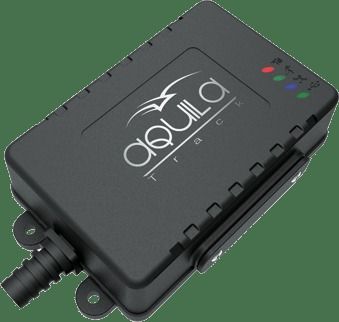
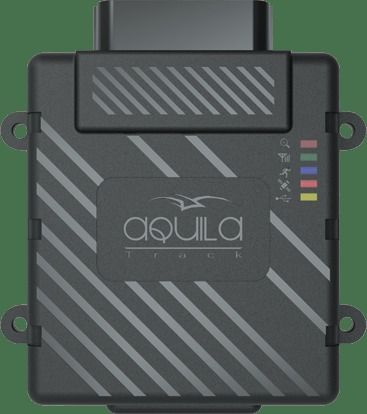
Common features found in Aquila devices
While model capabilities vary, many Aquila trackers include a set of common features useful for fleet and asset monitoring:
- Continuous or periodic GPS location reporting for position history
- Movement and ignition detection used for activity monitoring
- Power and tamper status reporting to detect unauthorized changes
- Internal battery backup for short term reporting when external power is lost
- Configurable reporting intervals and alert thresholds
Refer to the device pages in the catalog for exact feature lists and hardware specifications.
Typical use cases for Aquila GPS trackers
Aquila devices are commonly used for:
- Fleet vehicle tracking to monitor routes, driver behavior, and utilization
- Asset tracking for trailers, equipment, and high value mobile assets
- Rental and leasing operations to enforce geofences and usage limits
- Field service and small commercial fleets that need compact trackers Plaspy can adapt reporting and alerting to these scenarios so operations teams get actionable insights from Aquila devices.
Why choose Plaspy for Aquila device monitoring
Plaspy provides a unified platform to manage mixed fleets of devices, including Aquila trackers. Key advantages when pairing Aquila devices with Plaspy:
- Centralized device management and provisioning tools for onboarding trackers
- Configurable alerts and geofencing to match operational policies
- Route history and reporting that help reduce downtime and improve utilization
- User roles and permissions to control access across teams
If you already use Aquila hardware, Plaspy helps consolidate data and workflows into a single operational view. Learn more about the platform and enterprise features at https://www.plaspy.com.
Help finding the right Aquila device
The Brand Catalog above displays all Aquila models known to be compatible with Plaspy. Use the catalog filters to narrow devices by form factor, connectivity, or common use case. For manufacturer specifications and purchasing options visit the Aquila manufacturer site linked in the device entries, or contact your local distributor for advice on the best model for your needs.
If you need help mapping a specific use case to a device, Plaspy support can assist with recommendations for reporting intervals, alert settings, and required accessories.
Frequently Asked Questions
Q: What Aquila devices are compatible with Plaspy? A: Compatible Aquila devices are listed in the Brand Catalog on this page. The catalog provides links to device detail pages that explain compatibility and basic setup guidance.
Q: Can I use Aquila GPS trackers with Plaspy? A: Yes. Aquila trackers can be configured to report to Plaspy so you can monitor location, events, and status. Device registration in Plaspy and basic tracker configuration are required.
Q: Does Plaspy support fleet monitoring with Aquila devices? A: Plaspy supports fleet monitoring and includes features such as live tracking, historical routes, geofencing, and alerts that work with Aquila hardware once a device is connected to the platform.
Q: Where can I find Aquila device documentation in Plaspy? A: Open the device entry in the Brand Catalog above and follow the links on the device detail page. Those pages point to setup notes and manufacturer resources relevant to each model.
Q: Do I need special credentials to add an Aquila device to Plaspy? A: Typical onboarding involves the device identifier and any credentials required by the tracker. Exact steps are provided on the device detail page in the catalog. For assistance, contact Plaspy support.
Q: Can I mix Aquila devices with other brands in the same Plaspy account? A: Yes. Plaspy is designed to manage heterogeneous fleets so trackers from multiple manufacturers can be monitored together using the same dashboards and reporting tools.
Next steps
Explore the Aquila models in the catalog above to find a device that fits your project. For platform questions or to evaluate Plaspy for larger deployments visit https://www.plaspy.com. If you need additional help, Plaspy support and documentation are available to guide you through device onboarding and configuration.
Brand Compatibility
Monitor compatible brand devices with Plaspy
Plaspy helps businesses work with compatible GPS trackers for visibility, reporting, and daily operational control across vehicle and asset tracking workflows.