
BCE
BCE produces GPS tracking hardware used in vehicle and asset tracking applications. This page explains how BCE devices integrate with Plaspy, what to expect from compatible trackers in general terms, and how to find the right BCE model for your deployment. Use the catalog below to browse all BCE models that work with Plaspy.
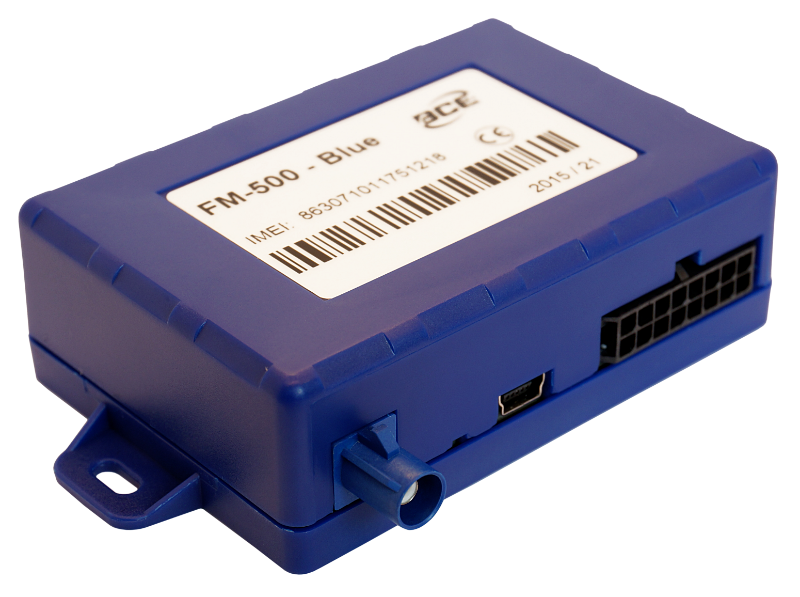
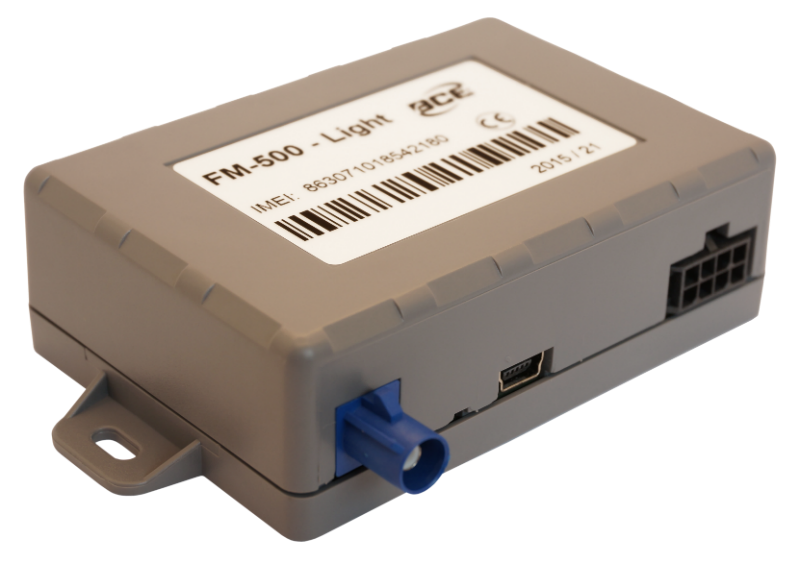
How BCE devices work with Plaspy
BCE devices send location and telematics data over cellular networks to backend services. Plaspy ingests this incoming telemetry from a supported device via standard data feeds and translates it into live positions, trip history, alerts, and reports inside the Plaspy platform.
For each BCE model, the specific connection method and parameter names can vary. Plaspy’s device pages include the recommended configuration settings and integration instructions for each compatible BCE device. If a model requires custom routing or a specific APN, consult the device page in the catalog or contact Plaspy support for guidance.
Common features found in BCE devices
While features differ by model, BCE trackers commonly provide core telematics capabilities that Plaspy can use to deliver fleet insights. Typical device capabilities you may encounter include:
- GPS location and periodic position updates
- Motion and ignition detection for basic trip identification
- Input and output ports for external sensors and relays
- Battery and power status reporting for asset trackers
- Configurable reporting intervals and sleep modes for battery life management
For exact feature lists and hardware specifications, open the model detail pages shown in the catalog above.
Typical use cases for BCE GPS trackers
BCE devices are used across a range of tracking scenarios. Common use cases include:
- Light vehicle and company car monitoring for location and route history
- Asset tracking for trailers, equipment, and nonpowered assets
- Route verification and proof of service for delivery fleets
- Theft recovery and tamper alerts for high value assets
Plaspy maps BCE device data into dashboards, alerts, and reports tailored to these operational needs.
Why choose Plaspy for BCE device monitoring
Plaspy is designed to accept data from many GPS device vendors and to present it in a unified fleet management interface. When pairing BCE hardware with Plaspy you benefit from:
- A single place to view live locations and historical trips from BCE trackers
- Centralized alerting and geofence management across mixed fleets
- Reporting tools that use BCE telemetry for utilization and activity analysis
- Device specific configuration guidance and documentation within Plaspy
If you are evaluating a BCE-based solution, Plaspy helps simplify daily monitoring and fleet operations without requiring multiple vendor portals.
Help finding the right BCE device
Choosing a BCE device depends on the intended application. Consider these factors when selecting a model:
- Power and installation environment such as wired vehicle installation or battery powered asset tracking
- Required I/O for sensors, ignition detection, or relay control
- Desired reporting frequency and battery life tradeoffs
- Cellular network coverage and SIM/APN requirements in your region
Use the Brand Catalog above to preview compatible BCE models. Each model page includes the technical notes and links to setup documentation so you can compare options without leaving the Plaspy docs.
Frequently asked questions
Q: What BCE devices are compatible with Plaspy? A: Compatible BCE devices are listed in the Brand Catalog on this page. Click a model to view the device page in Plaspy for compatibility notes, supported features, and configuration instructions.
Q: Can I use BCE GPS trackers with Plaspy? A: Yes. BCE trackers that appear in the catalog can be configured to report data to Plaspy. Follow the device-specific setup instructions on the model page to connect the device and verify data flow.
Q: Does Plaspy support fleet monitoring with BCE devices? A: Plaspy supports fleet monitoring for BCE devices by ingesting location and telematics data and presenting it in dashboards, live maps, alerts, geofences, and reports. Exact capabilities depend on the device model and the telemetry it provides.
Q: Where can I find BCE device documentation in Plaspy? A: Each BCE model listed in the Brand Catalog links to its device detail page in the Plaspy documentation. Those pages include recommended settings, sample payload information, and tips for configuring the device to work with Plaspy.
Q: What should I do if a BCE model is not showing expected data in Plaspy? A: First confirm device power, SIM and network connectivity, and reporting settings match the instructions on the model page. If issues persist, contact Plaspy support with the device identifier and sample telemetry for troubleshooting.
Next steps and resources
Explore the BCE models in the catalog to find a device that matches your installation and reporting needs. For broader information about Plaspy features and deployment options, visit https://www.plaspy.com. If you need assistance selecting or configuring a BCE tracker, Plaspy support can help guide device setup and integration.
Brand Compatibility
Monitor compatible brand devices with Plaspy
Plaspy helps businesses work with compatible GPS trackers for visibility, reporting, and daily operational control across vehicle and asset tracking workflows.