
Cityeasy
Cityeasy is a brand known for practical GPS tracking hardware used in fleet and asset monitoring. This page explains how Cityeasy devices can work with Plaspy, what to expect from these trackers in general terms, and how to find the right compatible device using the Plaspy device catalog.
How Cityeasy devices work with Plaspy
Cityeasy trackers use standard GPS and cellular telemetry to report location and status to a tracking platform. Plaspy can ingest location updates and telemetry from Cityeasy devices when they are configured to forward data in a supported format. This lets you view live location, history, and alerts in Plaspy alongside other device brands.
Key integration points to consider when pairing Cityeasy hardware with Plaspy:
- Device connectivity must be active so the tracker can send position updates over the mobile network.
- Device configuration often includes setting a reporting interval and the destination format or server; model specific instructions live in the device documentation.
- Plaspy organizes incoming data into a consistent interface so you can manage devices, view trips, and generate reports from a single dashboard.
For model specific configuration steps see the individual device pages available through the catalog below.
Common features found in Cityeasy devices
Cityeasy devices typically include the core capabilities expected from compact GPS trackers and fleet units. While specific features depend on the model, common capabilities include:
- GPS based location reporting for live tracking and history
- Cellular data transmission for remote telemetry
- Motion and ignition sensing for trip detection
- Battery or wired power options for portable or vehicle installations
- Basic input and output ports for auxiliary sensors and actuators
Plaspy reads the standard telemetry provided by these trackers and presents it in trip views, event logs, and alert rules so you can act on the data immediately.
Typical use cases for Cityeasy GPS trackers
Cityeasy devices are often chosen for straightforward tracking needs where reliable location and status reporting are required. Typical use cases include:
- Small to medium sized vehicle fleets requiring location history and route replay
- Asset tracking for trailers, containers, or portable equipment
- Driver activity monitoring for operational visibility
- Basic theft deterrence and recovery workflows using geofences and alerts
Plaspy supports these use cases by providing consolidated dashboards, reporting, and alerting across mixed device fleets.
Why choose Plaspy for Cityeasy device monitoring
Plaspy provides a device-agnostic platform designed to handle telemetry from many tracker brands, including Cityeasy. Advantages of using Plaspy with Cityeasy hardware:
- Centralized fleet management across multiple device brands
- Unified event and alert rules so policies apply consistently
- Trip, route, and activity reports that work across heterogeneous devices
- Web and mobile access to device location and status through Plaspy interfaces
If you need a single pane of glass to manage Cityeasy trackers alongside other hardware, Plaspy provides the tools to do that efficiently. Visit https://www.plaspy.com to learn more about platform capabilities and plans.
Help finding the right Cityeasy device
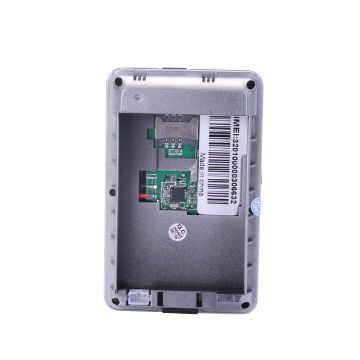
The catalog below shows Cityeasy models that are compatible with Plaspy. Use the catalog to compare form factors, power options, and general device descriptions so you can select hardware that matches your installation and monitoring needs. For detailed setup, configuration, and wiring, follow the documentation linked from each device entry.


Frequently Asked Questions
What Cityeasy devices are compatible with Plaspy?
Plaspy is compatible with Cityeasy devices that can send GPS and telemetry over standard cellular networks in a supported data format. The Brand Catalog above lists the Cityeasy models that are known to work with Plaspy. For model specific compatibility details, open the device entry in the catalog.
Can I use Cityeasy GPS trackers with Plaspy right away?
In many cases yes, but devices usually require basic configuration such as enabling reporting and setting the correct data endpoint or format. Consult the device documentation accessible from the catalog entries for recommended settings before adding a device to Plaspy.
Does Plaspy support fleet monitoring with Cityeasy devices?
Yes. Plaspy provides fleet views, trip history, geofencing, and alerting that can be used with Cityeasy devices. The platform normalizes incoming telemetry so you can run fleet reports and alerts consistently across devices.
Where can I find Cityeasy device documentation in Plaspy?
Open the individual Cityeasy model in the Brand Catalog on this page. Each device entry links to the documentation and setup guidance specific to that model. For platform level documentation and guides, visit https://www.plaspy.com.
What if my Cityeasy device does not appear in the catalog?
If a specific Cityeasy model is not shown, it may still be compatible but not yet listed. Check manufacturer documentation for the device data format and contact Plaspy support for assistance adding a new model or confirming compatibility.
Next steps
Browse the catalog above to find a Cityeasy model that matches your needs. Once you select a model, follow the device page for setup guidance and then connect the tracker to Plaspy to begin monitoring. For platform features, pricing, and enterprise options visit https://www.plaspy.com.
If you need help evaluating devices or planning a deployment, Plaspy support and documentation resources can assist with integration and best practices.
Brand Compatibility
Monitor compatible brand devices with Plaspy
Plaspy helps businesses work with compatible GPS trackers for visibility, reporting, and daily operational control across vehicle and asset tracking workflows.