
GalileoSky
GalileoSky produces a line of GPS tracking devices used for vehicle and asset monitoring. On this page you will find information about how GalileoSky devices work with Plaspy, common features to expect, typical use cases, and guidance for choosing the right device for your needs. Use the model catalog below to explore all GalileoSky devices that are compatible with Plaspy.
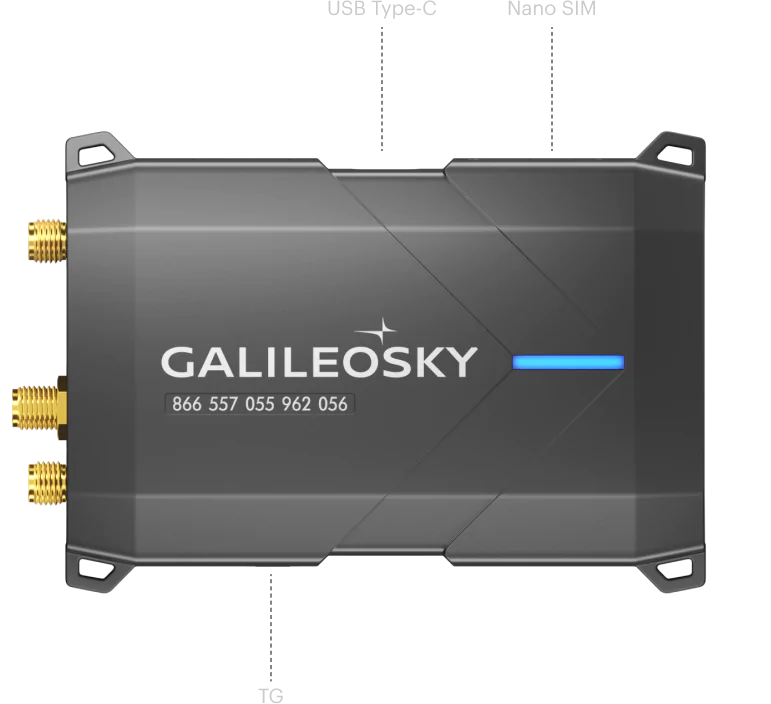

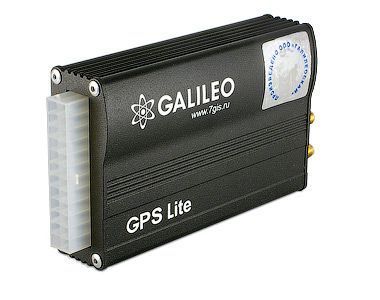
How GalileoSky devices work with Plaspy
GalileoSky trackers collect location and telemetry data and can be configured to forward that data to third party platforms like Plaspy. Plaspy receives and interprets the tracking data, displaying positions, historical routes, alerts, and diagnostics in a unified dashboard. Device-level configuration and connection steps vary by model; consult the specific device documentation for details on network settings and protocol options. Plaspy provides a consolidated view and tools to manage GalileoSky devices alongside other fleets and tracker brands.
Common features found in GalileoSky devices
While features vary across models, GalileoSky devices commonly include:
- Real time location reporting and position history
- Configurable reporting intervals to balance accuracy and battery life
- Alerting for movement, geofence entries and exits, and tamper or power events
- Support for battery powered and wired power configurations
- Durable enclosures suitable for vehicles and field equipment
- Connectivity options for cellular networks and optional external antennas These general capabilities make GalileoSky devices suitable for a broad range of tracking scenarios. For model specific specifications, view the device entries in the catalog above.
Typical use cases for GalileoSky GPS trackers
GalileoSky devices are often used for:
- Fleet management and route monitoring for light and heavy vehicles
- Theft prevention and recovery for cars, motorcycles, and equipment
- Rental fleet tracking for usage and billing reconciliation
- Remote asset monitoring for trailers, containers, and construction machinery
- Operational oversight where location, uptime, and movement history are required Plaspy helps you operationalize these use cases by centralizing alerts, reports, and location-based automation.
Why choose Plaspy for GalileoSky device monitoring
Plaspy is designed to aggregate data from multiple tracker manufacturers and present it through a consistent interface. Choosing Plaspy for GalileoSky device monitoring gives you:
- Unified fleet and asset dashboards across brands and device types
- Centralized alerting rules and notification channels
- Historical reporting and exportable telemetry for operations and compliance
- Integration options for other systems through available APIs and webhooks
- A single location to manage device settings, user access, and monitoring policies To learn more about Plaspy features and plans visit https://www.plaspy.com.
Help finding the right GalileoSky device
When selecting a GalileoSky model consider:
- Power source and installation method required for your vehicle or asset
- Expected reporting frequency and battery life needs for remote assets
- Required I/O and sensor compatibility for external inputs or CAN data
- Physical form factor and environmental protection for field conditions
- Connectivity and roaming coverage for geographic requirements Start with the BrandCatalog above to compare models visually and then open the device pages for configuration and specs. If you need help choosing a model for a specific workflow, Plaspy documentation and support resources can guide you on integration and operational considerations.
Frequently Asked Questions
Q: What GalileoSky devices are compatible with Plaspy? A: The BrandCatalog above shows all GalileoSky models compatible with Plaspy. Click a device entry to view its device page for compatibility details and configuration notes.
Q: Can I use GalileoSky GPS trackers with Plaspy? A: Yes. GalileoSky devices can be integrated with Plaspy so that location, alerts, and telemetry appear in the Plaspy dashboard. Device specific connection and setup instructions are provided on individual device pages.
Q: Does Plaspy support fleet monitoring with GalileoSky devices? A: Plaspy supports fleet monitoring workflows using data from GalileoSky devices, enabling centralized tracking, alerts, reports, and group management across vehicles and assets.
Q: Where can I find GalileoSky device documentation in Plaspy? A: Each GalileoSky model listed in the BrandCatalog links to a dedicated device page with documentation, setup guidance, and configuration tips. Use those pages for model specific instructions.
Q: Will I lose historical data if I switch GalileoSky devices to Plaspy? A: Historical data retention depends on your Plaspy plan and how the device has been configured. Plaspy stores incoming telemetry according to your account settings; consult Plaspy documentation or support for retention specifics.
Q: How do I get help configuring a GalileoSky device to send data to Plaspy? A: Start with the device page linked from the catalog for model specific instructions. If you need further assistance, Plaspy support resources and community documentation can help with onboarding and configuration guidance.
Explore GalileoSky models
Browse the GalileoSky model catalog above to compare devices and access model specific setup documentation. When you are ready to manage devices and fleets, visit Plaspy to learn more about plans, integrations, and deployment options at https://www.plaspy.com.
Brand Compatibility
Monitor compatible brand devices with Plaspy
Plaspy helps businesses work with compatible GPS trackers for visibility, reporting, and daily operational control across vehicle and asset tracking workflows.