
HunterPro
HunterPro is a manufacturer of GPS tracking hardware commonly used in vehicle and asset monitoring. Many organizations choose HunterPro devices for their compact form factors and practical tracking features. This page explains how HunterPro devices work with Plaspy, what to expect from the hardware in general terms, and how to find and add HunterPro models to your Plaspy account.
How HunterPro devices work with Plaspy
HunterPro devices that are compatible with Plaspy can send location and telemetry data to the Plaspy platform when configured to report to the correct server endpoint. Once a device is pointed to Plaspy and the device credentials are set, Plaspy ingests location updates, status messages, and available sensor data so you can monitor devices in real time, review trip history, and generate reports.
Plaspy supports integrating compatible trackers through device configuration settings and mapping their reported data to Plaspy device profiles. For configuration details for a specific HunterPro model, refer to the device documentation available in the product catalog or on the manufacturer site at http://hunterpro.com.tw/.
Common features found in HunterPro devices
While individual models vary, many GPS trackers in this category include a range of capabilities useful for fleet and asset tracking. Typical features you can expect include:
- GPS based location reporting and configurable reporting intervals
- Cellular connectivity for continuous tracking and remote telemetry
- Basic input and output interfaces for external sensors and vehicle signals
- Power management options and low battery reporting
- Motion detection and tamper or ignition state indications
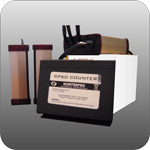
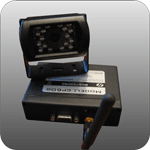
The BrandCatalog component below presents the exact models and the detailed specifications for each HunterPro device compatible with Plaspy.
Typical use cases for HunterPro GPS trackers
HunterPro hardware is often used in scenarios such as:
- Fleet vehicle tracking and route monitoring
- Equipment and asset tracking at worksites
- Theft deterrence and recovery workflows
- Remote monitoring where cellular coverage is available
Plaspy can centralize data from multiple HunterPro devices to provide unified maps, alerts, and historical data across your fleet or asset base.
Why choose Plaspy for HunterPro device monitoring
Plaspy focuses on providing a single platform to manage devices from many manufacturers, including HunterPro. Benefits of using Plaspy with HunterPro devices include:
- Unified device management and centralized location history
- Flexible alerting and geofence options to match operational needs
- Mapping and reporting tools for fleet performance and compliance
- API access and integrations to connect Plaspy data with other business systems
Plaspy is designed to ingest device data and present it in a way that helps operations teams make decisions without needing to operate multiple vendor portals. For more information about Plaspy and enterprise offerings visit https://www.plaspy.com.
Help finding the right HunterPro device
To choose the right HunterPro tracker for your application, consider factors such as power source, required inputs and outputs, cellular bands in your region, and mounting options. Use the model catalog below to compare device specifications and to access manufacturer documentation. If you need help matching a HunterPro model to a Plaspy device profile, consult Plaspy documentation or contact support for guidance on recommended settings.



Frequently Asked Questions
Q: What HunterPro devices are compatible with Plaspy? A: Compatibility varies by model. The BrandCatalog above lists all HunterPro models known to work with Plaspy and links to their documentation and compatibility notes. Review the individual device pages for configuration tips.
Q: Can I use HunterPro GPS trackers with Plaspy? A: Yes. Compatible HunterPro trackers can be configured to send tracking data to Plaspy. After configuring the device reporting settings, add the device in Plaspy so it appears on your fleet map and in reports.
Q: Does Plaspy support fleet monitoring with HunterPro devices? A: Plaspy supports fleet monitoring features such as real time location, history playback, alerts, and reporting for compatible HunterPro devices. Exact feature availability depends on the data the device reports.
Q: Where can I find HunterPro device documentation in Plaspy? A: Device specific documentation and configuration steps are available from the model pages in the BrandCatalog. For manufacturer resources, see the HunterPro website at http://hunterpro.com.tw/.
Q: Do I need special SIM cards for HunterPro devices to work with Plaspy? A: Most HunterPro devices use standard cellular SIM cards. Check the device specifications for supported network types and consult your mobile provider about coverage and data plans. Plaspy does not provide SIM cards directly.
Q: How do I get help if a HunterPro device is not reporting to Plaspy? A: Start by verifying the device reporting settings and network connectivity. Consult the device documentation and the model page in the BrandCatalog. If the issue persists, contact Plaspy support with device identifiers and recent logs so the team can assist.
Next steps
Explore the HunterPro device models above to find one that matches your needs. When you are ready to onboard devices, follow the configuration steps on the individual model pages and add them to your Plaspy account for centralized monitoring. For more information about Plaspy features and services visit https://www.plaspy.com.
Brand Compatibility
Monitor compatible brand devices with Plaspy
Plaspy helps businesses work with compatible GPS trackers for visibility, reporting, and daily operational control across vehicle and asset tracking workflows.