
Navis
Navis is a provider of GPS tracking devices used across vehicle and asset monitoring scenarios. Plaspy recognizes Navis devices among compatible trackers and can ingest their telemetry to provide centralized maps, alerts, and reporting. This page explains how Navis devices work with Plaspy, common device capabilities, recommended use cases, and where to go next to choose the right tracker for your deployment.
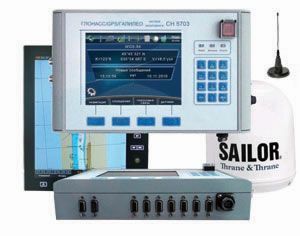

How Navis devices work with Plaspy
Navis trackers typically collect GPS coordinates and telemetry from vehicle or asset sensors and forward that data to a server endpoint. Plaspy can receive this telemetry when a Navis device is configured to use Plaspy compatible server settings or supported transport methods. Once the data is routed to Plaspy, the platform normalizes location updates, generates events, and stores history for visualization and reporting.
Important points for integration
- Verify the device server or data forwarding settings and point them to the Plaspy ingestion endpoint shown in the device setup guides.
- Check the device firmware configuration for message format and supported event types to ensure expected telemetry arrives in Plaspy.
- For advanced integrations consider Plaspy APIs to retrieve device data, export reports, or connect with third party systems.
For device configuration details and official documentation visit the Navis website at http://navis.ru/ or consult the device pages listed above in the model catalog.
Common features found in Navis devices
While specific capabilities vary by model, Navis trackers often include the common features fleet and asset managers expect from modern GPS devices:
- Real time and periodic location reporting
- Movement and motion detection alerts
- Geofence support for zone entry and exit events
- Battery and power status monitoring
- Support for external sensors and digital inputs for I/O events
The BrandCatalog above links each Navis model to its product page and to the setup documentation you can use when adding devices to Plaspy. Device level configuration steps and exact sensor support are presented on the individual model pages.
Typical use cases for Navis GPS trackers
Navis devices are suitable for a variety of tracking scenarios, including:
- Fleet vehicle telemetry for logistics and delivery operations
- Construction equipment and heavy asset monitoring
- Long term asset tracking for trailers and containers
- Theft prevention and recovery monitoring for high value assets
Plaspy is designed to handle mixed fleets and asset types so you can monitor Navis devices together with trackers from other brands in a single platform.
Why choose Plaspy for Navis device monitoring
Plaspy provides a single pane of glass for devices from multiple manufacturers. When using Navis trackers with Plaspy you gain:
- Unified mapping and live location across all devices
- Centralized alerts and notifications based on device events
- Historical playback and reporting for compliance and analysis
- Web and mobile access to manage devices and review activity
- API access to integrate location data into your internal systems
Plaspy focuses on interoperability and device flexibility so you can mix hardware from Navis with other compatible trackers without losing visibility or control. Learn more about the platform at https://www.plaspy.com.
Help finding the right Navis device
Choosing the right tracker depends on the vehicle or asset and the telemetry you need. Use the BrandCatalog above to browse Navis models and evaluate:
- Connectivity options and cellular bands supported
- Power supply and battery life for the intended deployment
- Available sensor inputs for external devices like ignition or fuel sensors
- Physical mounting and enclosure ratings for environmental exposure
If you need assistance, Plaspy support and sales teams can help match operational requirements to device capabilities and recommend deployment best practices.
Frequently Asked Questions
Q: What Navis devices are compatible with Plaspy? A: The BrandCatalog at the top of this page displays all Navis models that can be paired with Plaspy. Visit the individual device pages for model specific documentation and compatibility notes.
Q: Can I use Navis GPS trackers with Plaspy? A: Yes. Navis trackers that can forward telemetry to third party servers can be configured to send data to Plaspy. Device setup details are available on each model page and in the Navis documentation.
Q: Does Plaspy support fleet monitoring with Navis devices? A: Plaspy supports fleet monitoring for compatible Navis devices, providing live location, alerts, historical reports, and device management features needed for fleet operations.
Q: Where can I find Navis device documentation in Plaspy? A: Each device listed in the BrandCatalog links to technical documentation and setup instructions. For additional reference consult the Navis site at http://navis.ru/ or contact Plaspy support.
Q: How do I configure a Navis tracker to send data to Plaspy? A: Configuration is model specific. In general you will set the device server settings and message format to match Plaspy ingestion parameters. See the individual device pages and device manuals for step by step instructions.
Next steps
Explore the Navis models shown in the catalog above to view technical specifications and documentation for each device. When you are ready to connect devices to Plaspy or to evaluate deployment options visit https://www.plaspy.com for platform information and support resources.
If you need help understanding which device best fits your use case, contact Plaspy support for guidance on configuration and integration options.
Brand Compatibility
Monitor compatible brand devices with Plaspy
Plaspy helps businesses work with compatible GPS trackers for visibility, reporting, and daily operational control across vehicle and asset tracking workflows.