
Pointer
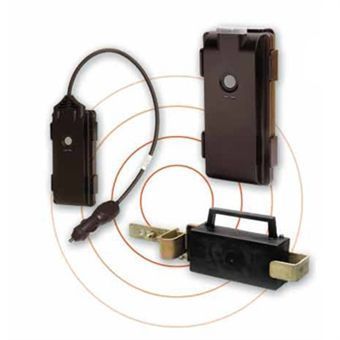
Pointer is a manufacturer of GPS tracking devices used across fleet, vehicle, and asset monitoring applications. This page explains how Pointer devices integrate with Plaspy, outlines common features you can expect, and helps you find the right device for your use case. If you already know what you need, use the device catalog below to view all Pointer models that work with Plaspy.
How Pointer devices work with Plaspy
Pointer GPS trackers communicate location and telemetry data using standard cellular and GNSS technologies. When a Pointer device is configured to report to Plaspy, the device sends periodic packets that Plaspy ingests, parses, and displays in the platform dashboard. Plaspy handles the data processing, map rendering, event rules, and reporting, so you can monitor Pointer trackers alongside other brands in a single account.
Key integration notes
- Plaspy receives the device protocol messages and maps fields into the platform data model.
- Device configuration and detailed protocol setup are handled on the device level and in device specific guides.
- The BrandCatalog below lists Pointer models compatible with Plaspy so you can choose a device and open the relevant setup documentation.
Common features found in Pointer devices
Pointer trackers typically include a set of features common to GPS tracking hardware. While features vary by model, many Pointer devices provide:
- GPS location tracking for real time and historical routes
- Cellular connectivity for continuous reporting and alerts
- Basic I O for ignition, doors, or external sensors
- Geofence and motion detection support for event generation
- Tamper and power monitoring to detect unauthorized removal or power loss
For feature specifics, open a model from the catalog and follow the device level documentation in Plaspy.
Typical use cases for Pointer GPS trackers
Pointer hardware is used in a range of monitoring scenarios. Common use cases include:
- Vehicle fleet tracking for routing and utilization analysis
- Asset protection for trailers, containers, and leased equipment
- Field service operations to monitor technician locations and job times
- Rental and logistics tracking for location based billing and recovery
Plaspy can combine Pointer device data with route history, geofence alerts, and user defined reports to support these workflows.
Why choose Plaspy for Pointer device monitoring
Plaspy provides a single platform to manage tracking data from multiple hardware vendors, including Pointer. Key platform benefits for Pointer users:
- Unified device management so Pointer trackers appear alongside other brand devices
- Customizable alerts and rules based on device telemetry
- Scalable map and reporting tools for fleets of any size
- Exportable reports and integrations for back office systems
If you want to evaluate Plaspy for your Pointer deployments, visit https://www.plaspy.com for platform overviews and contact options.
Help finding the right Pointer device
Choosing the right Pointer tracker depends on power source, mounting, reporting frequency, and the sensors you need. Use the catalog below to browse models and compare capabilities. For installation and protocol details, select a device to view links to device specific setup and compatible firmware notes inside the Plaspy documentation.


Frequently Asked Questions
What Pointer devices are compatible with Plaspy?
Pointer models that are compatible with Plaspy are shown in the brand catalog above. The catalog lists all Pointer trackers that can report to Plaspy and links to device level documentation for setup and configuration.
Can I use Pointer GPS trackers with Plaspy for fleet monitoring?
Yes. Pointer trackers can be used with Plaspy for typical fleet monitoring tasks such as real time location, route history, geofence alerts, and utilization reports once the device is configured to send data to Plaspy.
Does Plaspy support Pointer device telemetry and alerts?
Plaspy ingests common telemetry fields from Pointer devices and can generate alerts based on rules such as geofence entry exit, motion, speed, and input state changes. Specific available telemetry fields depend on the Pointer model and its firmware.
Where can I find Pointer device documentation in Plaspy?
Click any Pointer model in the BrandCatalog above to open the device page. Device pages include setup notes, recommended configuration settings, and links to further documentation. For platform level help and sales information visit https://www.plaspy.com.
How do I get help configuring a Pointer device on Plaspy?
Follow the device level guide linked from the catalog entry for that model. If you need additional assistance, Plaspy support resources and contact options are available on https://www.plaspy.com.
Next steps
Explore the Pointer models in the catalog above to find compatible trackers and then open the device page for setup instructions. If you want to learn more about how Plaspy can manage Pointer devices across your fleet or asset base, visit https://www.plaspy.com for product information and support resources.
Brand Compatibility
Monitor compatible brand devices with Plaspy
Plaspy helps businesses work with compatible GPS trackers for visibility, reporting, and daily operational control across vehicle and asset tracking workflows.