
Sanav
Sanav is a maker of GPS tracking hardware commonly used for vehicle and asset tracking. On this page you will find information about how Sanav devices can be used with Plaspy, what typical features to expect from Sanav trackers, and how to choose the right device for your tracking needs. Use the catalog below to view all Sanav models that are compatible with Plaspy and follow links to device level pages for model specific setup.
How Sanav devices work with Plaspy
Plaspy accepts location and telemetry data from many industry standard GPS trackers. Sanav devices that transmit position, time, and common telemetry fields can be connected to Plaspy using standard data reporting methods supported by the platform. Once a Sanav device is configured to report to Plaspy, you can monitor live location, review historical tracks, set geofences and alerts, and integrate device data with other workflows available in Plaspy.
Key integration notes:
- Plaspy receives and parses the telemetry that Sanav devices send, then stores events and positions for visualization and reporting.
- Device configuration and network settings remain managed on the device or via the device maker tooling; Plaspy focuses on ingestion, processing, and presentation of the tracking data.
- Model specific configuration instructions live on each device page in our docs. Use the Brand Catalog below to navigate to the device you have.


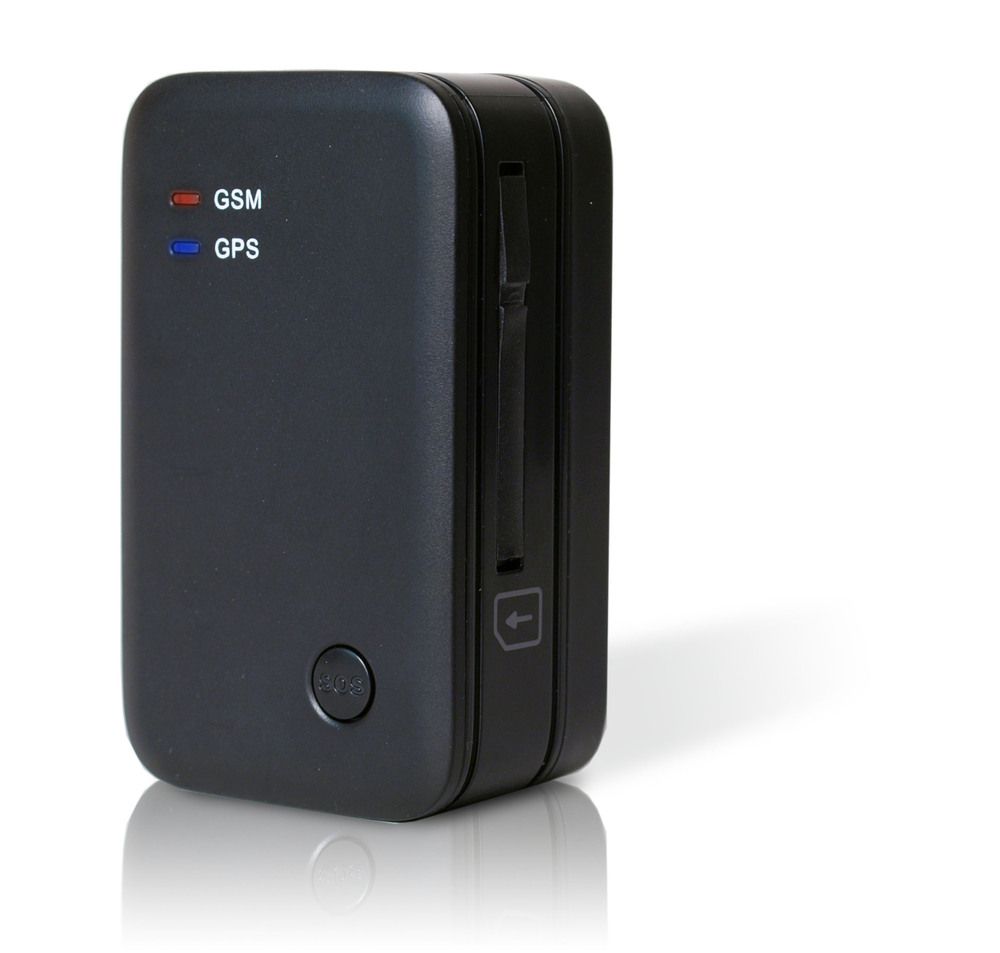
Common features found in Sanav devices
Sanav devices typically offer the features expected of GPS trackers used in fleet and asset management contexts. While specifics may vary across models, common capabilities you may find include:
- GPS location reporting for tracking routes and current position
- Motion and ignition detection for movement based events
- Basic I O inputs for sensors such as door or panic buttons
- Configurable reporting intervals to balance accuracy and battery or data usage
- Support for mobile networks to transmit data to Plaspy
For precise technical capabilities and supported protocols, open the device entry from the catalog above. The Brand Catalog links to detailed device pages that describe settings and supported telemetry fields.
Typical use cases for Sanav GPS trackers
Sanav hardware is suitable for a range of tracking scenarios. Common uses include:
- Fleet vehicle location and routing visibility
- Delivery and logistics vehicle monitoring
- Remote asset tracking where cellular connectivity is available
- Basic driver behavior and vehicle utilization reporting when combined with Plaspy dashboards
Plaspy provides the platform layer that turns raw device telemetry into maps, alerts, reports, and integrations for these scenarios.
Why choose Plaspy for monitoring Sanav devices
If you are using Sanav devices, Plaspy offers:
- A unified interface to monitor all compatible devices in one account
- Real time map visualization and historical route playback for rapid incident review
- Alerting and geofencing to notify teams when assets enter or leave defined areas
- Reporting and exports to support billing, operations, and compliance workflows
- Flexible integration options to bring tracking data into other systems and dashboards
Plaspy is designed to accept device data from a broad range of trackers so you can manage mixed fleets without switching platforms.
Help finding the right Sanav device
Choosing the right Sanav tracker depends on what you need to monitor. Consider these factors:
- Power source and installation method for the asset or vehicle
- Required accuracy and reporting frequency
- Necessary external inputs such as ignition, door sensors, or alarms
- Connectivity needs including cellular bands supported in your region
- Battery life expectations for portable or battery powered use cases
Use the Brand Catalog above to compare Sanav models and navigate to the device pages where you will find technical details and setup guidance specific to each model.
Troubleshooting and setup tips
- Verify the device can reach the mobile network in your region and that SIM data is active.
- Confirm device time and timezone settings if reported positions appear offset.
- Match the device reporting server and protocol settings to the values documented on the device page in Plaspy docs.
- If you encounter parsing or telemetry issues, check the device log and compare its outgoing payload to the expected format described on the corresponding Plaspy device page.
For device level configuration steps, open the specific model page from the catalog rather than following general advice here.
Frequently asked questions
Q: What Sanav devices are compatible with Plaspy? A: Compatible Sanav devices are shown in the Brand Catalog above. Click a model to view its device page for compatibility details and required settings.
Q: Can I use Sanav GPS trackers with Plaspy? A: Yes. Plaspy accepts telemetry from Sanav trackers that are configured to report to Plaspy endpoints. Use the model pages to find protocol and server settings needed for each device.
Q: Does Plaspy support fleet monitoring with Sanav devices? A: Plaspy supports fleet monitoring features such as live tracking, geofences, alerts, and reporting for Sanav devices once they are sending data to your Plaspy account.
Q: Where can I find Sanav device documentation in Plaspy? A: Open the Brand Catalog on this page and select the device you have. Each device entry links to documentation covering configuration, supported telemetry fields, and troubleshooting tips.
Q: Do I need a special SIM or plan to use Sanav devices with Plaspy? A: You will need a cellular data connection appropriate for the device and region. Check the device page for network and SIM recommendations; Plaspy does not provide SIM service directly.
Q: How do I get help if a Sanav device is not sending data to Plaspy? A: Start by verifying network connectivity and device configuration against the instructions on the model page. If issues persist, contact your device vendor or reach out to Plaspy support with device logs and example payloads for assistance.
Explore Sanav models
Browse the catalog above to find the Sanav model you own or plan to buy. Each device page contains model specific instructions on how to configure the tracker to report to Plaspy and which telemetry fields are available.
If you need broader platform information or want to review Plaspy features, visit https://www.plaspy.com for product details and contact options.
Brand Compatibility
Monitor compatible brand devices with Plaspy
Plaspy helps businesses work with compatible GPS trackers for visibility, reporting, and daily operational control across vehicle and asset tracking workflows.