
YulongDa
YulongDa produces GPS tracking hardware used for vehicle and asset tracking. If you are evaluating hardware or managing a mixed fleet, this page explains how YulongDa devices can be used with Plaspy and where to find compatible models and documentation. For manufacturer details visit http://www.yulongdatechnology.com.


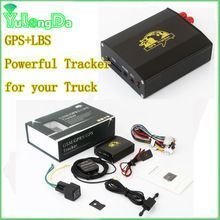
How YulongDa devices work with Plaspy
Plaspy connects to compatible YulongDa devices using standard GPS tracking protocols and common cellular data reporting methods. Once a device is configured to report to Plaspy, the platform receives location and status updates so you can view real time positions, historical tracks, and telemetry in the Plaspy dashboard.
This brand page is intended to help you confirm compatibility and find device model pages and setup guides within Plaspy. Device specific configuration and APN settings belong on each device model page rather than here.
Common features found in YulongDa devices
While exact features vary by model, YulongDa devices typically include capabilities that are commonly integrated into tracking platforms like Plaspy. Examples of commonly supported features include:
- GPS location reporting and movement tracking
- Cellular data connectivity for real time updates
- Basic digital and analog input monitoring for status sensors
- Location history that supports playback and reports
- Configurable reporting intervals to balance accuracy and data usage
Note that the Brand Catalog above lists all models compatible with Plaspy so you can review device specifications and pick the one that matches your use case.
Typical use cases for YulongDa GPS trackers
YulongDa devices are used in a variety of tracking scenarios that Plaspy supports, such as:
- Vehicle fleet monitoring for route oversight and driver management
- Asset tracking for trailers, containers, and movable equipment
- Theft deterrence and recovery with geofence alerts and tamper detection
- Remote status monitoring for auxiliary sensors and inputs
Choose a device based on required connectivity, power options, and the telemetry you need. The model catalog above helps narrow the choice without listing each model on this page.
Why choose Plaspy for YulongDa device monitoring
Plaspy provides a flexible tracking platform that accepts data from a wide range of GPS trackers. For YulongDa devices, Plaspy offers:
- Centralized fleet views and role based user access
- Real time telemetry, alerts, and configurable geofences
- Historical reporting and exportable trip data
- Device management screens and remote parameter updates when supported
Plaspy is designed to work with many hardware vendors so you can manage a mixed fleet from a single interface. To explore platform features in detail visit https://www.plaspy.com.
Help finding the right YulongDa device
Use the device catalog above to compare models visually and follow links to individual model pages for technical documentation, setup instructions, and configuration tips. If you are unsure which model fits your needs, evaluate:
- Power source and mounting options required for your installation
- Required reporting frequency and data plan implications
- Which sensors or inputs you need to monitor
- Coverage and cellular bands supported for your region
If you need assistance selecting hardware for Plaspy, consult your fleet manager or reach out to Plaspy resources linked on the main website.
Frequently Asked Questions
Q: What YulongDa devices are compatible with Plaspy?
A: Compatible models are listed in the Brand Catalog at the top of this page. The catalog links to each device page inside Plaspy which includes compatibility notes and setup guidance.
Q: Can I use YulongDa GPS trackers with Plaspy?
A: Yes. YulongDa devices that report via standard GPS tracking protocols can be configured to send data to Plaspy. Refer to the individual device pages for configuration details.
Q: Does Plaspy support fleet monitoring with YulongDa devices?
A: Plaspy supports fleet monitoring for compatible YulongDa devices, offering real time tracking, alerts, and historical reports. Feature availability may vary by device model and firmware.
Q: Where can I find YulongDa device documentation in Plaspy?
A: Click any model in the Brand Catalog to open its device page within Plaspy. Those pages contain documentation, setup steps, and links to download configuration files when available.
Q: Will I need to change APN or server settings on YulongDa devices to use Plaspy?
A: Most devices require you to set an APN and the reporting server or ports. Specific steps and values are documented on each device model page in Plaspy and are not covered on this brand overview.
Q: Who should I contact if a YulongDa device is not reporting to Plaspy?
A: Start by checking device power and SIM status, then confirm server and APN settings on the model page. If problems persist, contact your hardware supplier or the Plaspy support resources listed on https://www.plaspy.com.
Next steps
Browse the device catalog above to find models that match your installation needs and follow the links to model pages for setup guides and technical specifications. For more information about Plaspy features, deployment options, and support, visit https://www.plaspy.com.
Brand Compatibility
Monitor compatible brand devices with Plaspy
Plaspy helps businesses work with compatible GPS trackers for visibility, reporting, and daily operational control across vehicle and asset tracking workflows.