
Navtelekom
Navtelekom is a brand known for producing GPS tracking hardware used in vehicle and asset tracking applications. Plaspy can work with Navtelekom devices to bring location, telemetry, and event reporting into a unified tracking platform. This page explains how Navtelekom devices integrate with Plaspy, outlines common capabilities found across the brand, and helps you find the right device using the visual catalog below.
Navtelekom devices and Plaspy compatibility
Many Navtelekom devices can be configured to report location data and telemetry to third party tracking platforms. Plaspy accepts incoming device data and translates it into live maps, history, alerts, and reports. If you are evaluating Navtelekom GPS trackers for use with Plaspy, the platform supports standard workflows for connecting trackers, validating telemetry, and managing devices across your fleet.
- Configure your Navtelekom device to send data to Plaspy using the device settings for server address and reporting intervals.
- Plaspy ingests location and event messages, presenting them through a single interface for monitoring and analysis.
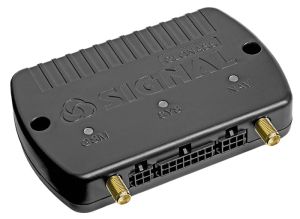
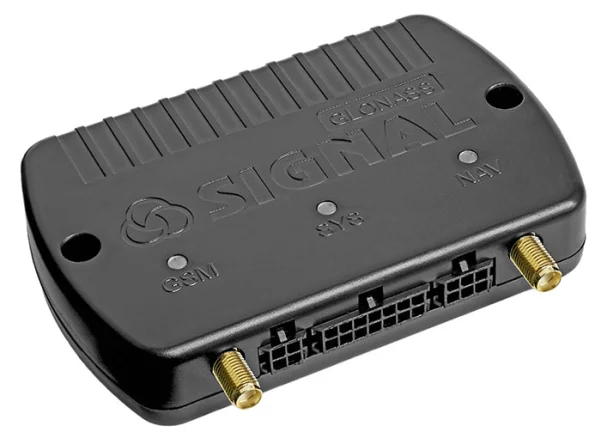
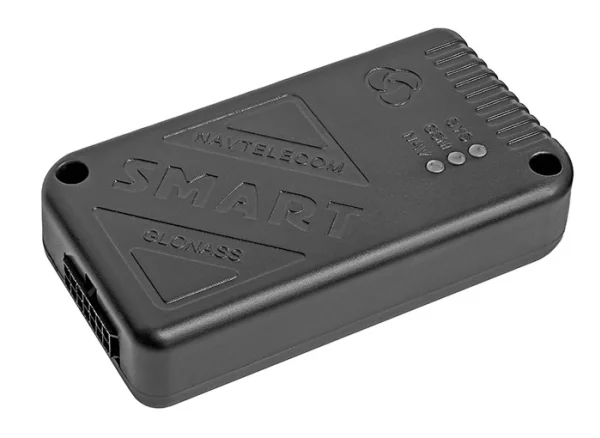
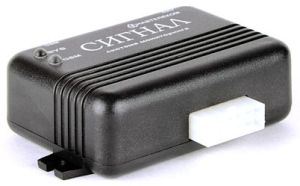
- The BrandCatalog component below lists the Navtelekom models verified to be compatible so you can jump to detailed device pages as needed.







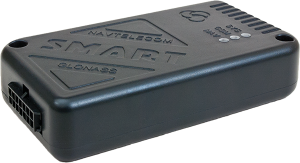
Common features found in Navtelekom devices
Navtelekom hardware typically includes features useful for fleet and asset tracking. While capabilities vary by model, common elements include:
- GNSS based position reporting for accurate location on maps
- Cellular connectivity for real time uploads and remote monitoring
- Power management and battery status reporting for asset trackers
- Digital and analog inputs for door, ignition, fuel, or sensor integration
- Event reporting such as movement alerts, geofence triggers, and SOS signaling
- Basic on device configuration options to control reporting frequency and thresholds
These general features allow Navtelekom trackers to be used across vehicles, trailers, equipment, and other mobile assets that benefit from continuous monitoring.
Typical use cases for Navtelekom GPS trackers
Navtelekom devices are used in a variety of tracking scenarios. Typical applications include:
- Fleet tracking and route monitoring for light duty and commercial vehicles
- Asset tracking for trailers, containers, and high value portable equipment
- Vehicle security and theft deterrence with tamper and movement alerts
- Operational monitoring with input driven events for maintenance or process triggers
Plaspy helps turn raw device data into actionable insights for these use cases by providing configurable alerts, historical playback, and reporting tools.
Why choose Plaspy for monitoring Navtelekom devices
Plaspy is designed to collect and present telemetry from many device brands including Navtelekom. Key advantages when using Plaspy with Navtelekom hardware:
- Unified dashboard for live tracking across mixed fleets and device types
- Alerts and notifications that map device events to operational workflows
- Historical data and route playback to support analytics and compliance
- Device management tools to organize trackers by group, vehicle, or site
- APIs and data export options to integrate tracking data with other systems
If you need assistance verifying compatibility for a particular Navtelekom model or configuring device reporting, Plaspy documentation and support resources can guide setup and testing.
Help finding the right Navtelekom device
Use the catalog above to explore Navtelekom models that are compatible with Plaspy. When selecting a device, consider these factors:
- Connectivity needs including cellular bands and fallback options
- Power source and expected battery life for portable applications
- Required inputs and sensors for your monitoring scenario
- Environmental ratings and mounting options for the installation
- Desired reporting frequency and data retention needs
For manufacturer specific specifications and downloads, you can also visit the Navtelekom site at https://www.navtelecom.ru/. If you want help choosing a model for Plaspy, contact Plaspy sales or support through https://www.plaspy.com.
Frequently Asked Questions
Q: What Navtelekom devices are compatible with Plaspy? A: Compatibility depends on model capabilities and how the device reports telemetry. The BrandCatalog above lists Navtelekom models that work with Plaspy. For any specific model, check its device page in the catalog or contact Plaspy support for verification.
Q: Can I use Navtelekom GPS trackers with Plaspy? A: Yes. Many Navtelekom trackers can be configured to send data to Plaspy. The platform receives location and event messages and presents them through dashboards, alerts, and reports.
Q: Does Plaspy support fleet monitoring with Navtelekom devices? A: Plaspy provides the fleet management features needed to monitor Navtelekom devices including live tracking, grouping, alerting, and historical playback. For advanced fleet workflows, review the Plaspy feature set or contact the team to discuss your requirements.
Q: Where can I find Navtelekom device documentation in Plaspy? A: Use the device model pages available from the BrandCatalog on this page. Those pages include configuration notes, supported features, and links to manufacturer documentation where available. For step by step setup help, reach out to Plaspy support.
Q: Do I need to buy anything extra to connect Navtelekom trackers to Plaspy? A: In many cases you will only need the device and a SIM with data. Some deployments may require accessories for mounting or additional sensors. Check the device specifications and plan your installation accordingly.
Q: How do I test that a Navtelekom device is reporting correctly to Plaspy? A: Typical testing involves configuring the device server settings, powering the device, and then verifying that location and event messages appear in Plaspy dashboards. For model specific guidance use the device page in the catalog or contact support for assistance.
Next steps
Explore the Navtelekom models shown in the catalog above to find devices that match your tracking needs. For commercial inquiries, integration help, or to learn more about how Plaspy handles Navtelekom telemetry, visit https://www.plaspy.com. If you need technical setup guidance, check the individual device pages in this documentation or reach out to Plaspy support for assistance.
Brand Compatibility
Monitor compatible brand devices with Plaspy
Plaspy helps businesses work with compatible GPS trackers for visibility, reporting, and daily operational control across vehicle and asset tracking workflows.